Break Countdowns
List page
Section titled “List page”Break Countdowns list supports:
- Create countdown shell
- Search/sort
- Edit and delete
Countdown detail controls
Section titled “Countdown detail controls”Main fields:
- End date/time
- Display description
- Collaborative pixel canvas toggle
Actions:
- Save
- Push to Clients
- Clear
- Clear Pixels
- Delete Countdown
Screenshot: Countdown admin controls
Section titled “Screenshot: Countdown admin controls”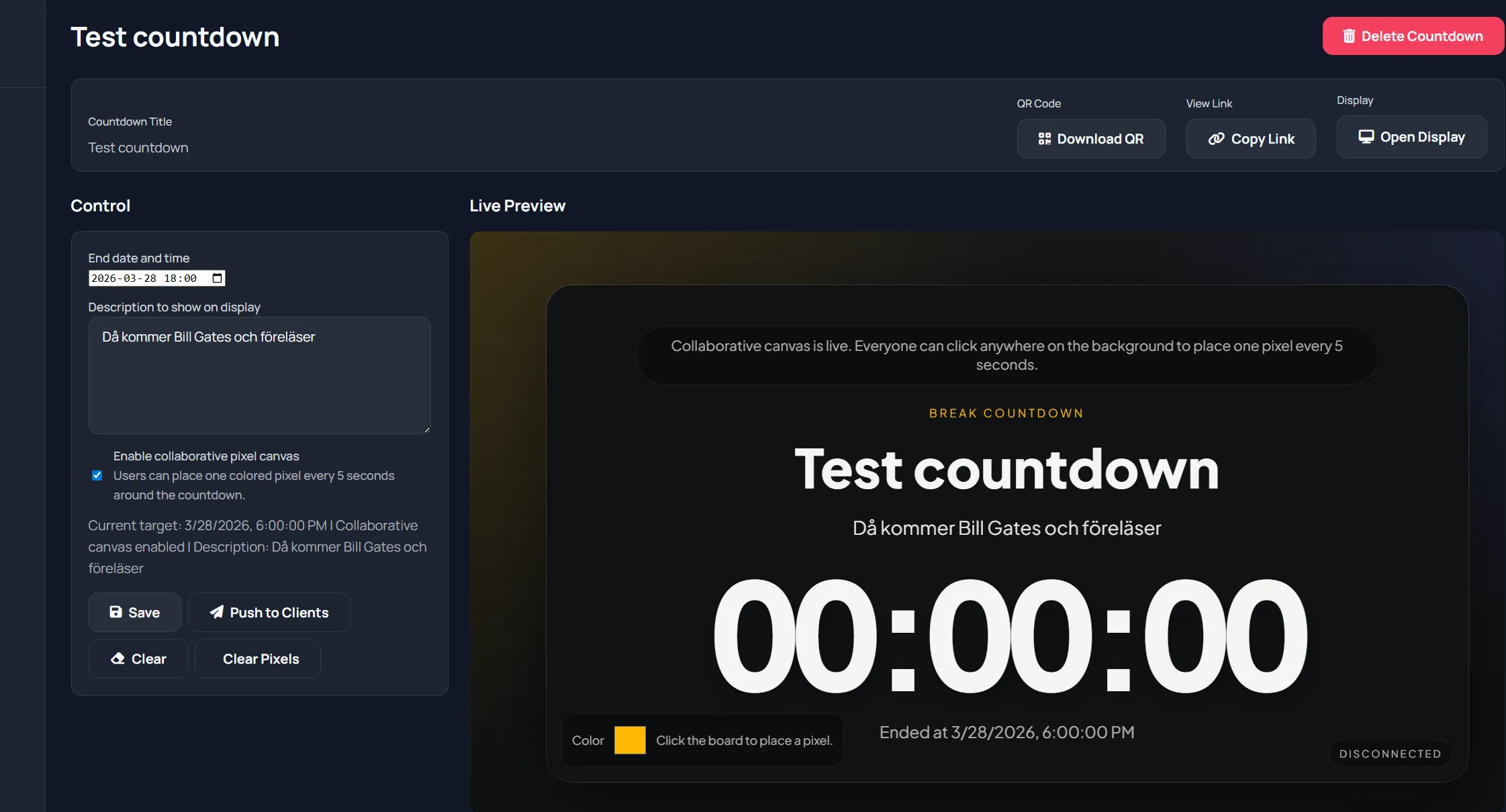
Display page behavior
Section titled “Display page behavior”The display page shows:
- Countdown title
- Optional description
- Live ticking timer
- End time status
When collaborative mode is enabled:
- Pixel canvas appears behind content
- Viewers can place one colored pixel every cooldown window
- Host can clear pixels from control page
Typical host flow
Section titled “Typical host flow”- Set end time and optional instructions.
- Enable collaborative canvas if wanted.
- Push to clients.
- Open display.
- Adjust and re-push if break changes.
Best practices
Section titled “Best practices”- Add clear return-time instructions in description.
- Use collaborative mode for longer breaks.
- Clear pixels between sessions if you want a fresh canvas.