Collective Voting
List page
Section titled “List page”Collective Votings list supports:
- Create and edit voting definition
- Search and sorting
- Delete voting
Detail workspace
Section titled “Detail workspace”Tabs:
- Live
- Results
Primary controls:
- Save options
- Push to Clients
- Reveal
- Reset Votes
- Delete Voting
Screenshot: Collective Voting admin controls
Section titled “Screenshot: Collective Voting admin controls”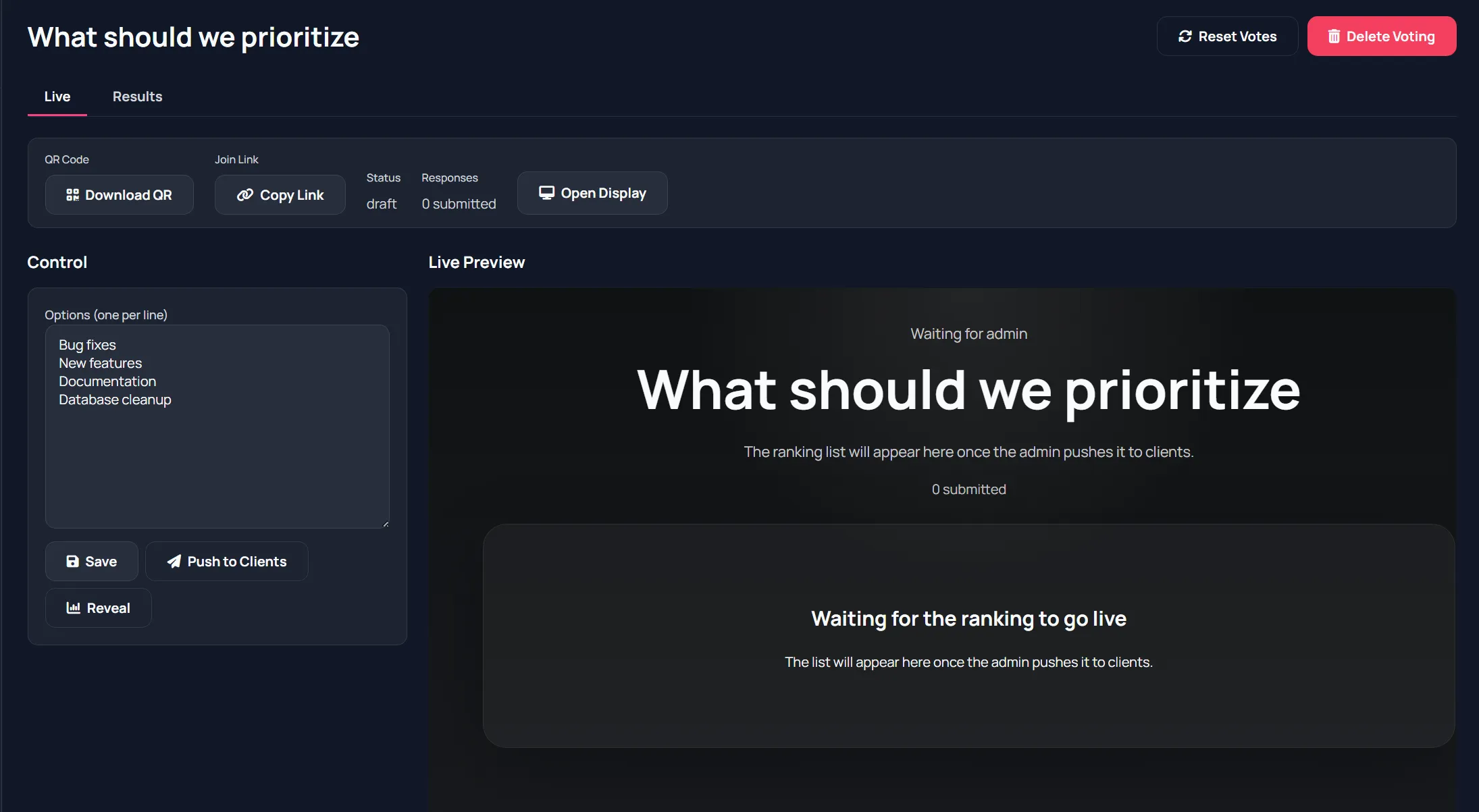
How ranking works
Section titled “How ranking works”Participants drag options into preferred order and submit ranking.
Host can continue updating options before live push, and reveal results when ready.
Live status indicators
Section titled “Live status indicators”On detail page you can track:
- Current status (draft/live/revealed)
- Submission count
Audience/display page
Section titled “Audience/display page”Audience uses the display page directly:
- Waiting state before push
- Live drag-and-rank state
- Submit ranking
- Results revealed state
Screenshot: Audience ranking page
Section titled “Screenshot: Audience ranking page”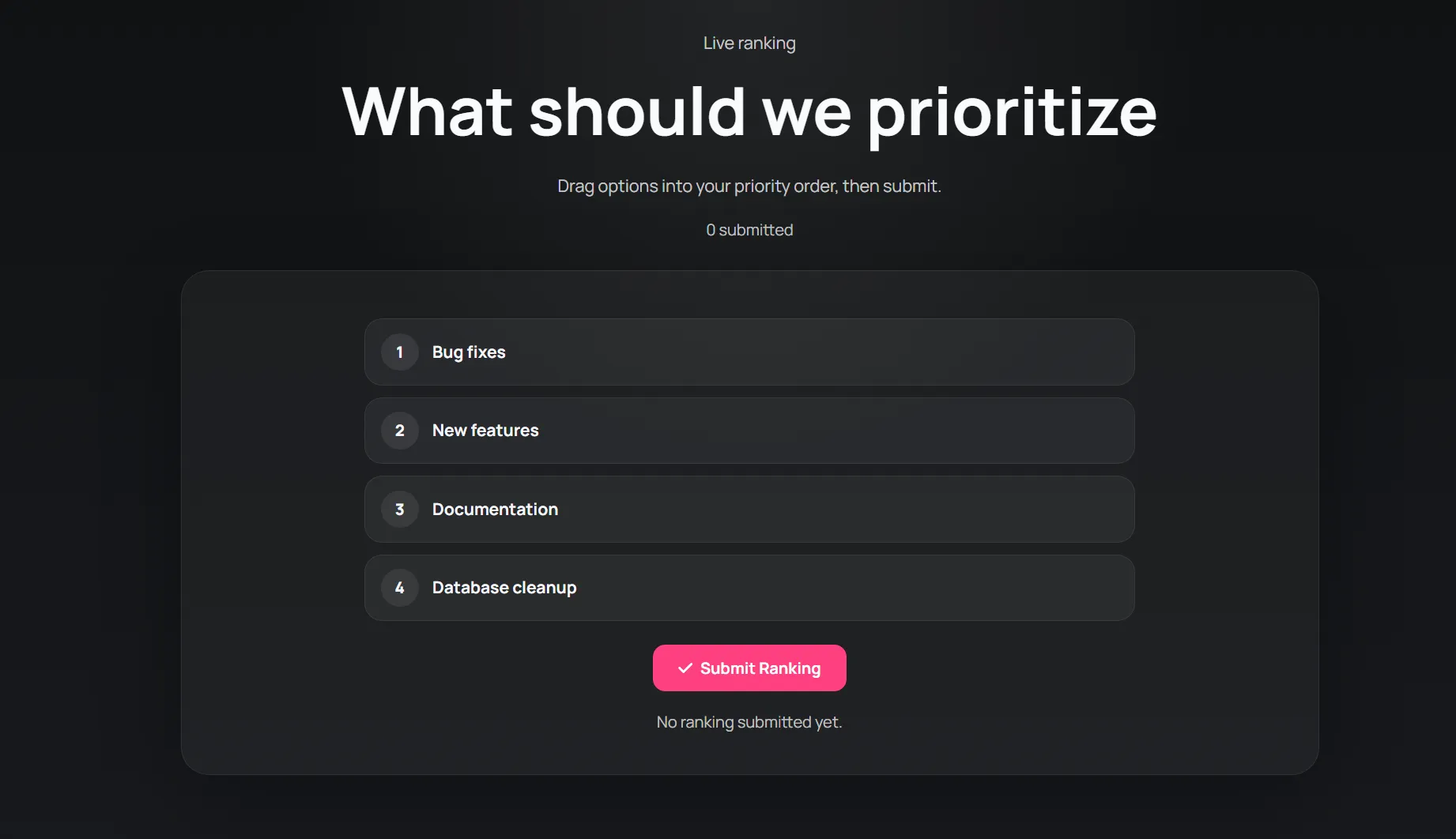
Results
Section titled “Results”Results view includes:
- Ranked outcome summary
- Borda-style scoring visualization
- Rank distribution details
Screenshot: Borda results view
Section titled “Screenshot: Borda results view”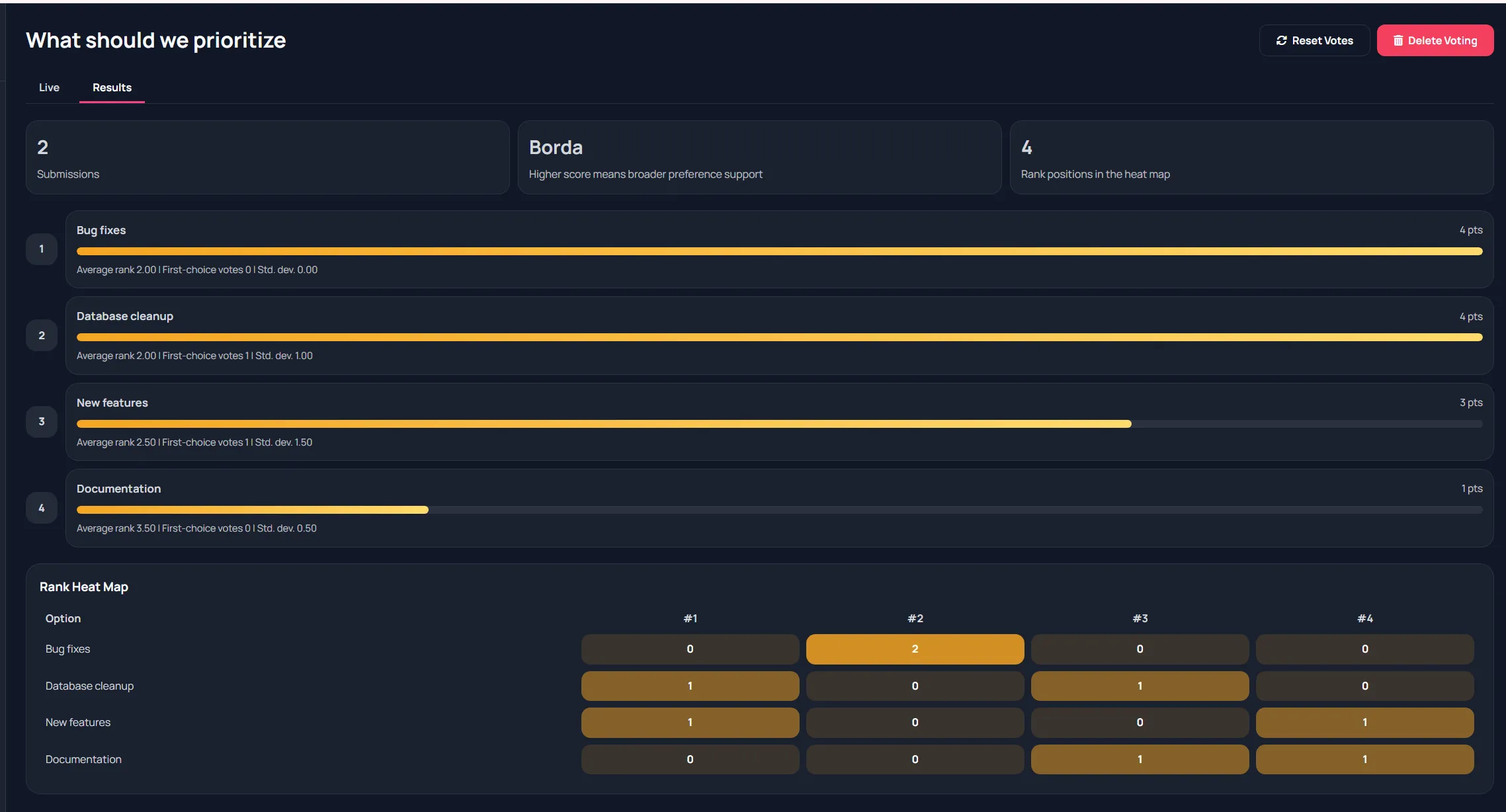
Suggested facilitation flow
Section titled “Suggested facilitation flow”- Enter clear option list.
- Push to clients.
- Allow ranking time.
- Watch submission count.
- Reveal and discuss top priorities.