Sessions (God Control)
What Sessions does
Section titled “What Sessions does”Sessions lets you sequence multiple activity types into a single guided live flow.
Think of it as a facilitator timeline with push control.
Session list page
Section titled “Session list page”- Create session
- Search/sort
- Edit/delete metadata
- View step count and current live step
Session detail workspace
Section titled “Session detail workspace”Main areas:
- Session settings (title/description)
- Steps builder
- Playlist with controls
- Live preview frame
Screenshot: Session admin flow
Section titled “Screenshot: Session admin flow”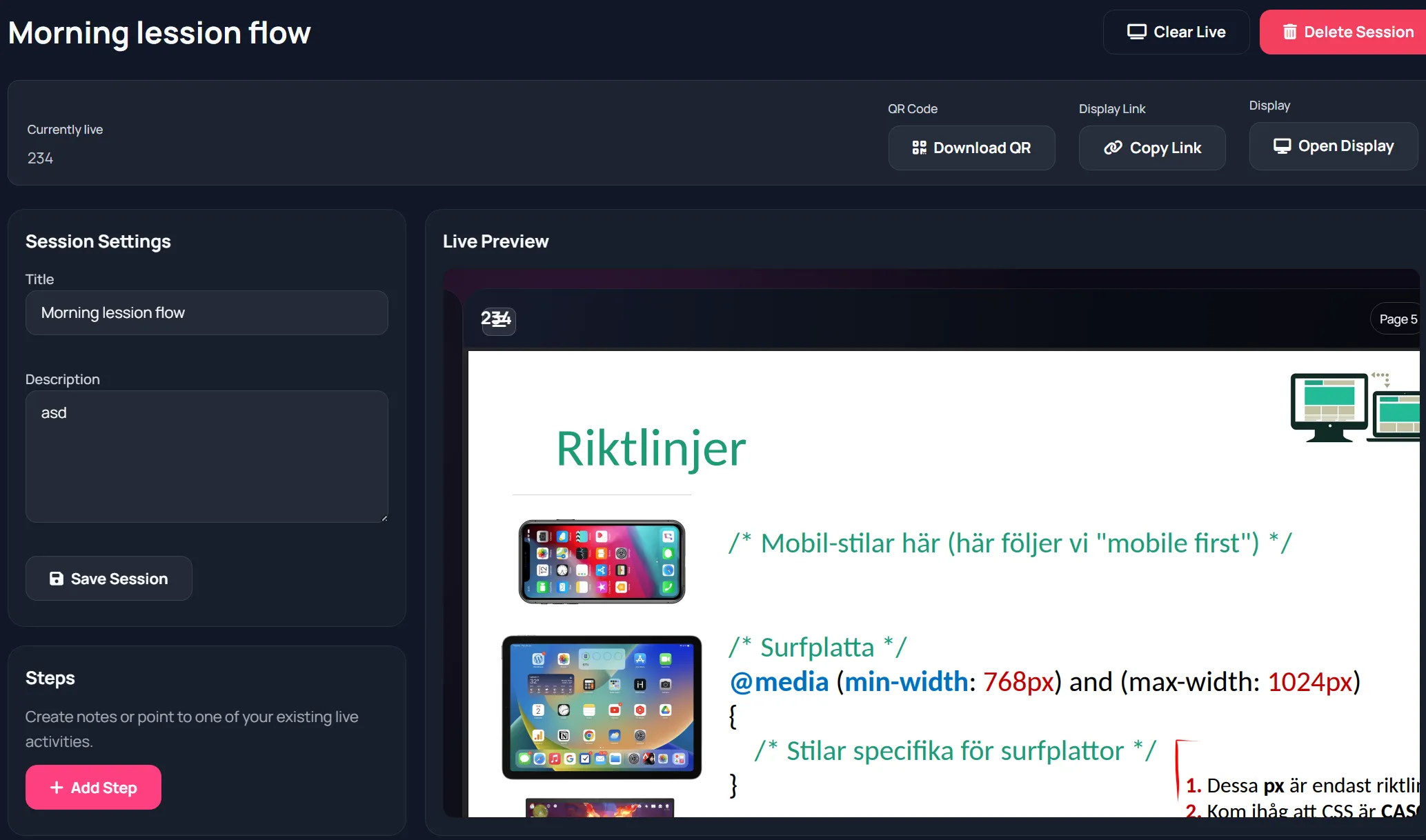
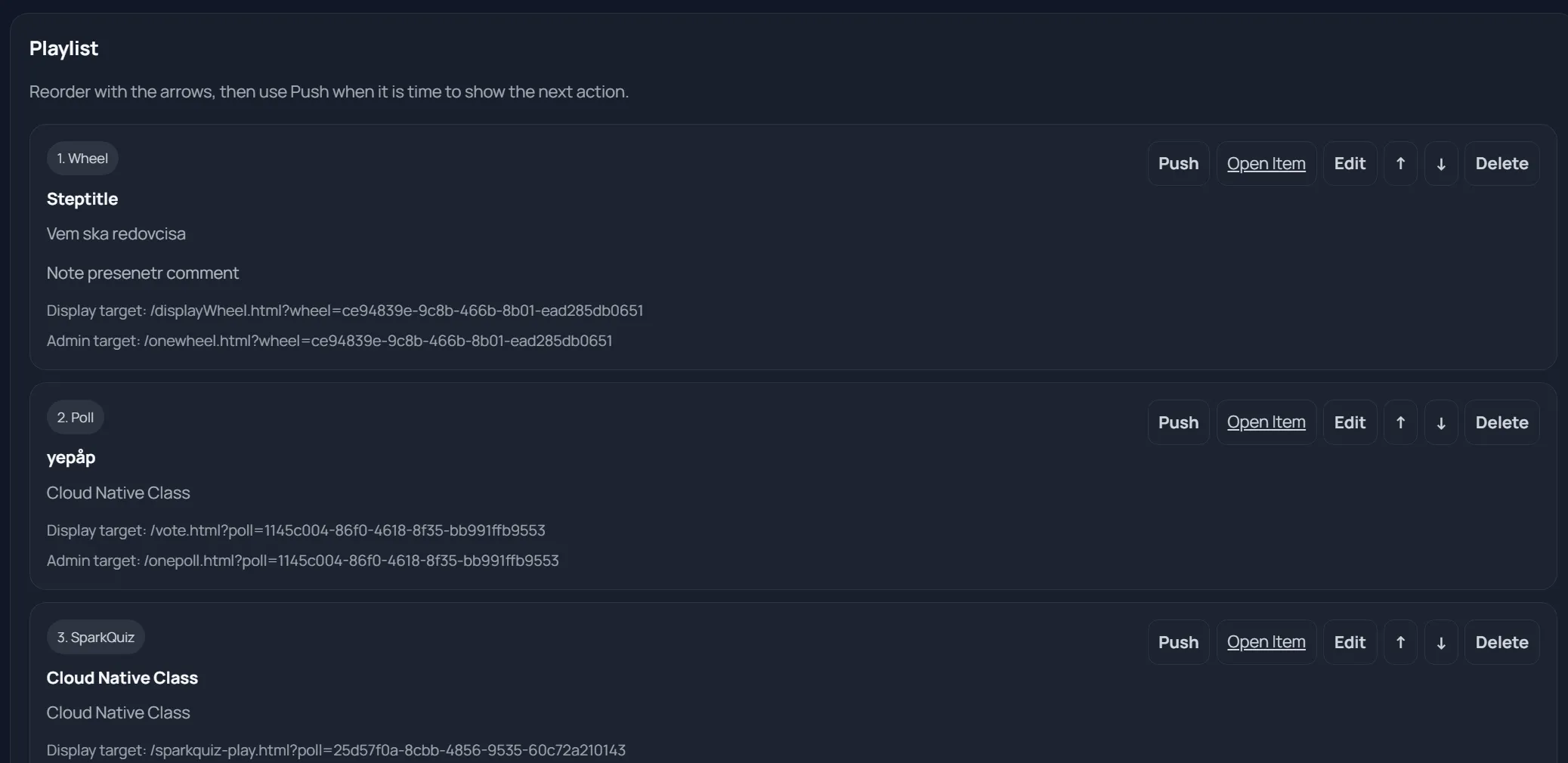
Step types
Section titled “Step types”Supported step types include:
- note
- poll
- sparkquiz
- countdown
- form
- wheel
- board
- slide
- collective_voting
- planningpoker
- lesson_deck
Per-step controls
Section titled “Per-step controls”For each step you can:
- Push live
- Open linked item
- Edit
- Move up/down
- Delete
Global controls:
- Clear Live
- Delete Session
Display session page
Section titled “Display session page”Display Session can show:
- Placeholder with session QR/link when nothing is live
- Current step title/type/note
- Embedded step display when available
- Board-specific guidance card when relevant
Screenshot: Session audience flow
Section titled “Screenshot: Session audience flow”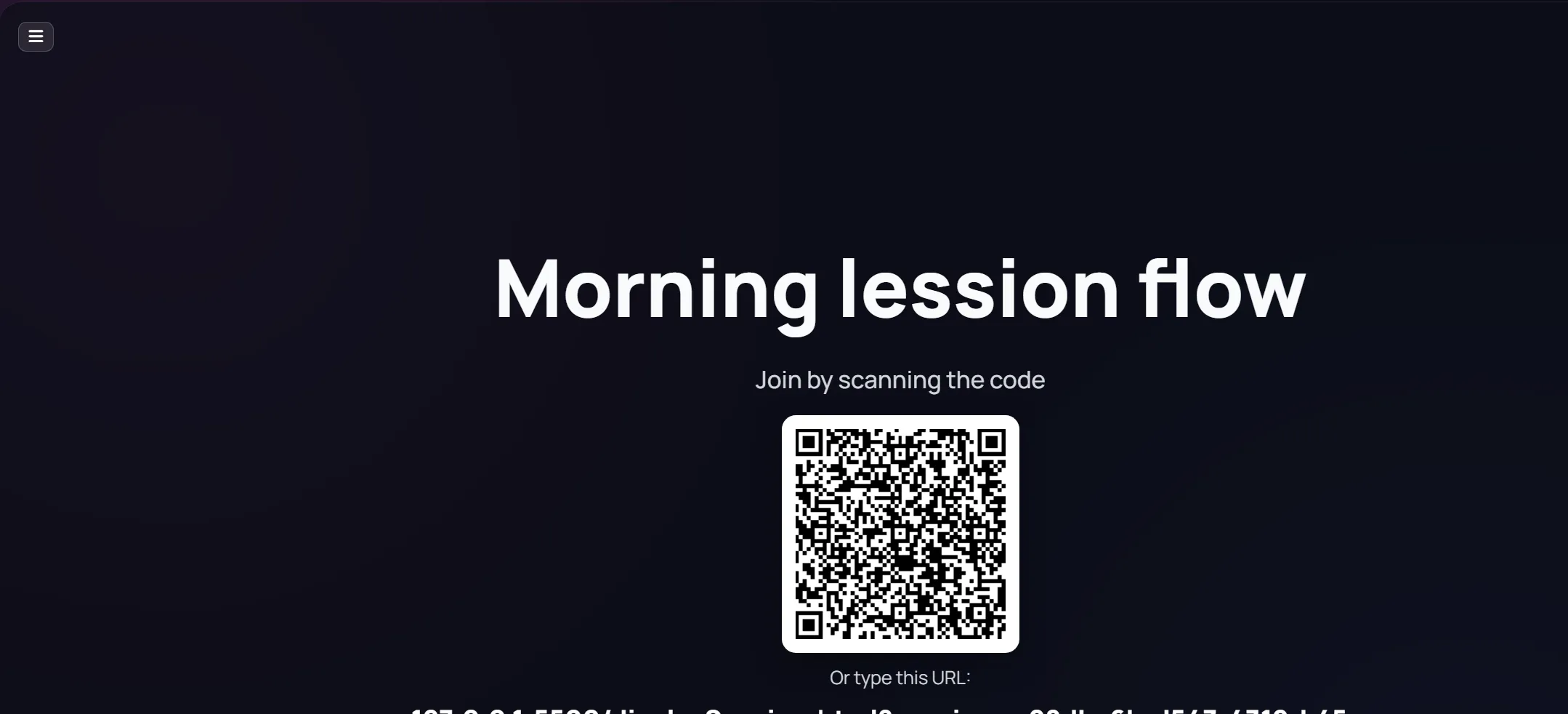
Recommended facilitation pattern
Section titled “Recommended facilitation pattern”- Build entire playlist before event.
- Keep notes short and explicit.
- Push one step at a time.
- Use Clear Live between major transitions.
- Reorder only if agenda changes.